Donkey Kong Country 2
A Donkey Kong Country 2 randomizer for Archipelago.
Latest release: v3.1.4
A Donkey Kong Country 2 randomizer for Archipelago.
Latest release: v3.1.4
Back to main page
DKC2 AP requires a similar setup found in other SNES games in Archipelago, you can follow one of those guides or keep reading this one.
Any emulator or method not listed here is NOT endorsed by the developer, you may have varied results in those.
d323e6bb4ccc85fd7b416f58350bc1a2.apworld in your Archipelago/custom_worlds folder, or double-click the .apworld to do so automatically.ArchipelagoLauncher.exe to open the Launcher, and click on Generate Template Options to create template yamls for your custom .apworld files.Players folder, and customize them as you see fit.ArchipelagoGenerate.exe to generate the game..apdkc2 file with ArchipelagoLauncher.exe, it should create a ROM file and open SNI Client.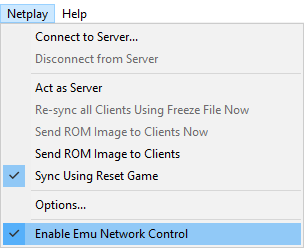
Ctrl+R).Connector.lua file that you downloaded above onto the main EmuHawk window.
/SNI/lua/.Script 〉 Open Script, and navigate to Connector.lua with the file picker.NOTE: If the BSNES core doesn't work, try using the Snes9x core or another emulator.
manage_files.exe inside of the SNI folder in your Archipelago install is recommended.NOTE: If you want to reset or swap games, ensure you're disconnected from the Server first! Otherwise SNI will tell SNIClient some dirty lies about the state of the game and may clear locations for you, or worse, goal the game.
/SNI/lua/socket.dll missing or similar, navigate to the folder of the lua you are using in your file explorer and copy the socket.dll to the base folder of your snes9x install.WARNING: Never, never, NEVER restart the game with one of the emulator buttons, it's better to close off the emulator and rerun it.
This APWorld comes with a manager that allows you to edit some features from an already generated game or some other global features. Players can find this software in ArchipelagoLauncher.exe under the Adjuster menu.
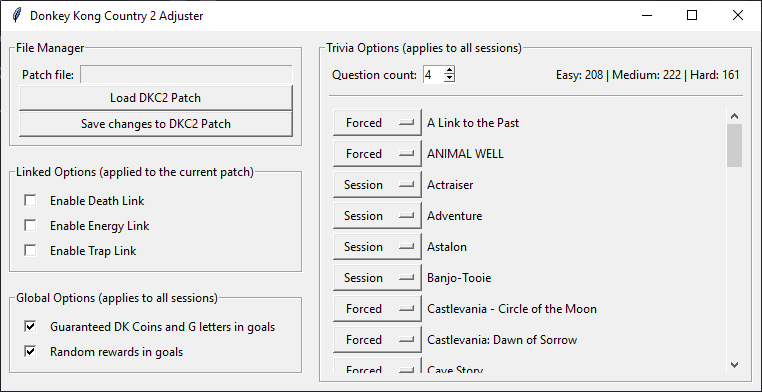
This section allows you to toggle Death Link, Damage Link, Trap Link and Energy Link. Requires a .apdkc2 patch file to be loaded first.
This section allows you to toggle some global options. These do not require loading a patch first and will apply to any future session.
This section allows you to customize Swanky's Trivia. It allows you to toggle the current question count per Swanky game (there are 3 games per Swanky level).
Each game/trivia topic allows you to select if these questions will appear in the game or not
If a .apdkc2 patch is provided, games detected will change their Session status to Included to tell players which of these will be added to the current and future sessions.
Universal Tracker is a custom APWorld that allows players to generate a list of in-logic locations for the current slot, very useful when trying to figure out why is something suddenly appearing as reachable.
| Feature | Supported? |
|---|---|
| Logic tracking | ✔️ |
| YAML-less tracking | ✔️ |
/explain |
✔️ |
/glp |
✔️ |
| Glitched Logic | ✔️ |
| Deferred Entrances | ❌ |
| Map Tracker Tab | ❌ |
| Player location in Map Tracker | ❌ |
/explain "location name": It outputs the logic rules for a specific location, showing which item combinations will make it appear in logic./glp "location name": Shows a list that explains how to reach to a certain location in the game.This web tool allows players to create custom palettes for Donkey and Diddy.
Handy page that shows every level in the game in a web browser.