Mega Man X3
A Mega Man X3 randomizer for Archipelago.
Latest release: v1.5.2
A Mega Man X3 randomizer for Archipelago.
Latest release: v1.5.2
This game is very similar to any other SNES game in Archipelago, you can follow any of these guides or keep reading this one. Your choice.
.exe file
cfe8c11f0dce19e4fa5f3fd75775e47c.apworld in your Archipelago/custom_worlds folder, or double-click the .apworld to do so automatically.ArchipelagoLauncher.exe to open the Launcher, and click on Generate Template Options to create template yamls for your custom .apworlds.Players folder, and customize them as you see fit.ArchipelagoGenerate.exe to generate the game..apmmx3 file with ArchipelagoLauncher.exe, it should create a ROM file and open SNI Client.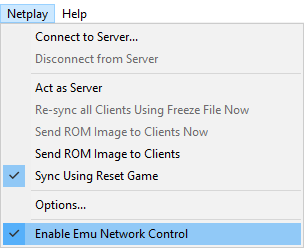
Ctrl+R).Connector.lua file that you downloaded above onto the main EmuHawk window.
/SNI/lua/.Script 〉 Open Script, and navigate to Connector.lua with the file picker./SNI/lua/socket.dll missing or similar, navigate to the folder of the lua you are using in your file explorer and copy the socket.dll to the base folder of your snes9x install.NOTE: Do not reset with the emulator options! It'll completely garble the game RAM and tell SNIClient some dirty lies about the state of the game, which can result on sending out a bunch of locations or goaling the game.
Universal Tracker is a custom APWorld that allows players to generate a list of in-logic locations for the current slot, very useful when trying to figure out why is something suddenly appearing as reachable.
| Feature | Supported? |
|---|---|
| Logic tracking | ✔️ |
| YAML-less tracking | ❌ |
/explain |
❌ |
/glp |
❌ |
| Glitched Logic | ❌ |
| Deferred Entrances | ❌ |
| Map Tracker Tab | ❌ |
| Player location in Map Tracker | ❌ |